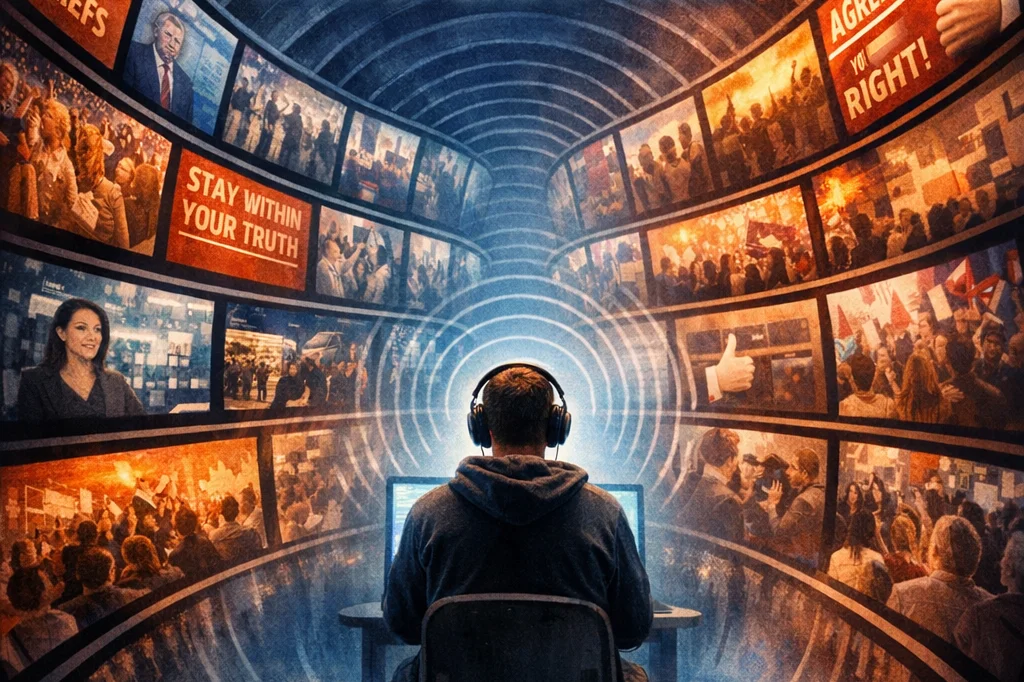
The echo chamber effect on social media is what happens when you mostly see opinions, news, and content that reinforce what you already believe—while opposing viewpoints get filtered out or ignored. Over time, this can make your views feel more universally accepted than they actually are.
How it forms
Social platforms like Facebook, X, and TikTok use algorithms designed to keep you engaged. They learn from what you like, share, pause on, or comment on—and then show you more of the same.
At the same time, people naturally:
- Follow like-minded users
- Join groups that reflect their interests
- Mute or block opposing voices
That combination (algorithm + human behavior) creates a feedback loop.
What it does
Inside an echo chamber:
- Ideas get amplified, not challenged
- You’re less likely to encounter contradictory evidence
- Opinions can become more extreme over time
- It can create a false sense of consensus (“everyone agrees with me”)
This connects to concepts like confirmation bias (favoring information that supports your beliefs) and group polarization (groups drifting toward more extreme positions).
Why it matters
Echo chambers can:
- Increase political and social polarization
- Spread misinformation more easily
- Reduce critical thinking and nuance
- Make constructive debate harder
A quick example
If someone frequently engages with posts about a specific political issue, the platform will prioritize similar content. Soon, their feed might show mostly one-sided perspectives—making alternative viewpoints seem rare or invalid.
How to break out of it
You don’t have to abandon social media—just use it more deliberately:
- Follow credible sources with different viewpoints
- Occasionally search topics manually instead of relying on your feed
- Engage with well-argued opposing opinions (not just outrage content)
- Use platform tools to adjust recommendations
how to “reset” or diversify your feed on specific platforms like TikTok or X
TikTok: Reset or retrain your “For You” feed
1. Hard reset (fastest option)
- Go to Profile → ☰ (menu) → Settings & privacy
- Tap Content preferences
- Select “Refresh your For You feed”
This wipes TikTok’s learned preferences and starts fresh.
2. Actively retrain the algorithm
TikTok learns very quickly from behavior. For the next 1–2 days:
- Skip immediately when you see content you don’t want
- Long-press → “Not interested” on unwanted videos
- Like + watch fully the type of content you do want
- Search topics manually (e.g., “economics debate,” “different political views”) and interact there
NOTE: Watch time matters more than likes. If you watch something all the way through, TikTok assumes you want more of it.
3. Clean up hidden signals
- Unfollow accounts that reinforce one viewpoint only
- Check Settings → Content preferences → Filter video keywords
- Remove filters that may be narrowing your feed
- Review who you follow—this heavily influences your feed
X (Twitter): Reset and diversify your timeline
1. Turn off algorithmic narrowing
- Go to Settings → Privacy and safety → Content you see
- Toggle OFF “Based on your inferred interests” (if available)
- Switch your timeline from “For You” → “Following”
NOTE: “Following” shows posts chronologically from accounts you choose—less algorithm bias.
2. Reset interests (this is the hidden one)
- Go to Settings → Privacy and safety → Content you see → Interests
- You’ll see topics X thinks you like
- Uncheck/remove most of them, especially ones that are overly specific or one-sided
Also check:
- “Topics” section → Unfollow ones that trap you in a niche
3. Train it manually
- Click “Not interested in this post” on tweets you don’t want
- Avoid rage-clicking or doomscrolling (that still trains the algorithm)
- Follow accounts with different perspectives, not just louder versions of your own
4. Use Lists (most underrated tool)
- Create separate lists like:
- “Different viewpoints”
- “Neutral news”
- “Experts only”
- This lets you step outside your main feed entirely